

Salesforce continues to deliver innovation with each Revenue Cloud release, and Spring ’26 is packed with game-changing features. Now officially branded as Agentforce Revenue Management, this release brings powerful new capabilities across the entire Quote-to-Cash lifecycle—from a brand-new Promotions engine to enhanced AI-powered assistants that streamline billing and quoting operations.
Whether you’re a Revenue Cloud administrator, developer, or business user, this release offers significant improvements in pricing flexibility, transaction management, billing automation, and contract lifecycle management. Let’s dive into the highlights.

1. Promotions in Agentforce Revenue Management (NEW)
One of the most anticipated additions to Revenue Cloud, Promotions empowers pricing designers to create both manual and automatic promotions that offer discounts on products and categories. This is a major step forward for organizations looking to drive longer contracts and influence purchasing decisions.
Key capabilities include:
- Define promotion eligibility based on rules and sales channels
- Specify how to evaluate multiple applied promotions
- Display promotions to users when browsing products and catalogs
- Automatically apply promotions when adding products to transactions
- View applied discounts in the price waterfall
- Apply promotions during amendments and renewals
- New Connect REST API for retrieving eligible promotions
Note: Requires the Global Promotions Management Basic Add On license.
2. Salesforce Go Enhancements
Salesforce Go continues to expand its coverage with support for more Agentforce Revenue Management features. Spring ’26 adds ease-of-use enhancements related to:
- Agentforce configuration and setup
- Contracts management
- Document Generation workflows
- Dynamic Revenue Orchestrator capabilities
Access these features by selecting Salesforce Go from the gear menu and filtering by Revenue in the Home tab.
3. Product Catalog Management Improvements
Managing large product catalogs just got easier with several key enhancements:
- Simplified Product Data Cache Refresh – Generate, refresh, or empty the cache with flexible, controlled options for maximum efficiency
- Increased Search Limits – Higher configurable limits for searchable and filterable attributes, improving product discovery in large catalogs
- Select More Products – Select more than 20 products during product discovery and add them to a transaction simultaneously
- EPC Support – Specify Enterprise Product Catalog as a catalog source with new API enhancements
4. Salesforce Pricing Enhancements

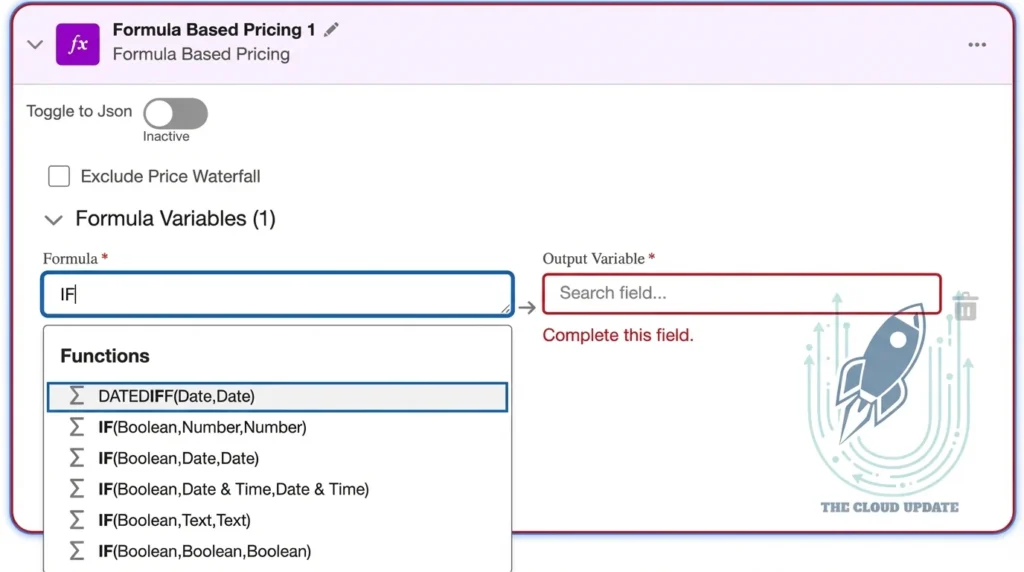
Spring ’26 brings significant improvements to pricing procedures and troubleshooting:
- Smarter Price Propagation – Define formulas that calculate and propagate discounts and totals throughout quote hierarchies with up to 5 levels of nesting. Use ascending propagation to conditionally roll up totals and horizontal calculations for cross-field computations
- Conditional IF Statements – Build complex pricing logic with nested IF statements directly within the Formula-Based Pricing element—no custom code required
- Package Procedure Plans – Migrate entire pricing solutions across orgs by adding procedure plans directly to deployment packages
- Advanced Price Log Settings – Collect detailed diagnostic data for complex pricing elements including input values and exception details
- Auto-Numbered Steps – Improve readability with auto-numbered steps and element descriptions in pricing procedures
- Revenue Cloud Operations Console – The Pricing Operations Console has been renamed to better align with its expanded capabilities
Ready to implement these pricing features?
Our Revenue Cloud training covers pricing procedures, propagation rules, and best practices for complex quote calculations.
View Course Details →5. Product Configurator Updates
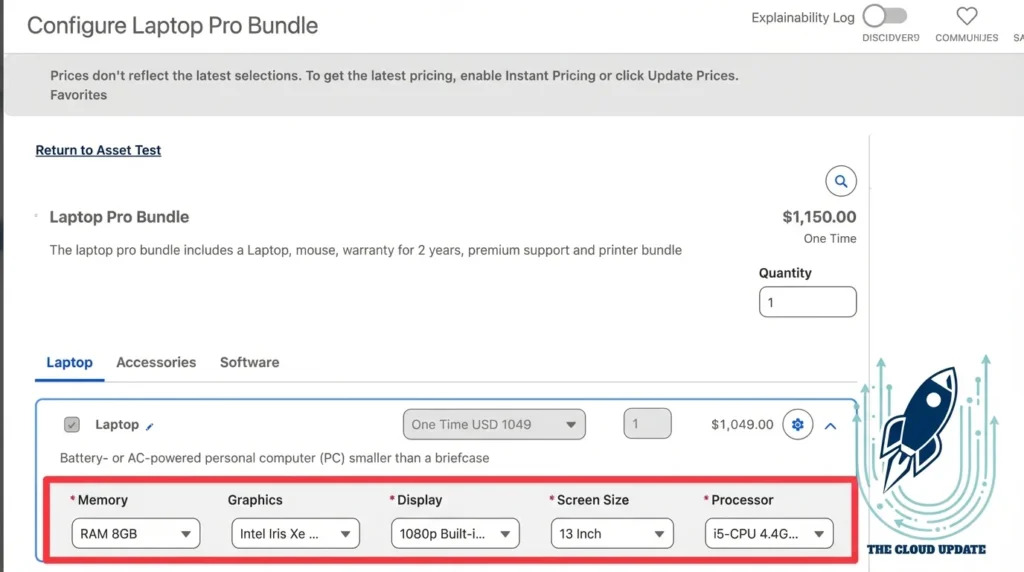
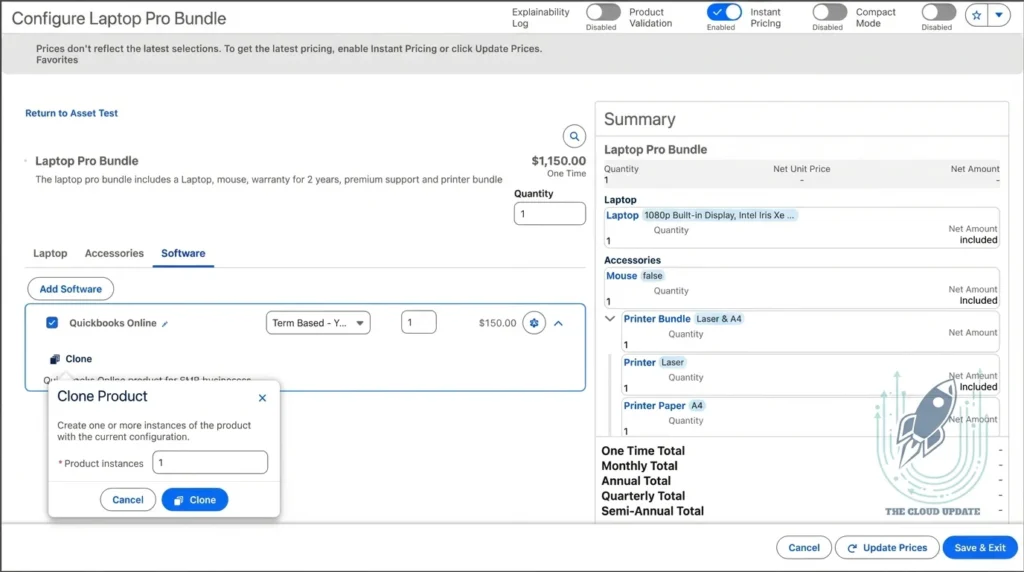
The Product Configurator receives substantial usability and performance improvements:
- Translation Support for Run-Time Messages – Provide localized messages for warnings, errors, and guidance in the Configurator. Use bulk label generation and autocomplete options for efficient setup
- Improved Configurator Interface – Edit attributes and clone product instances directly from component option cards. Review errors in a persistent message component and benefit from a denser compact layout
- Non-Blocking UI Behavior – Change multiple values on a product without waiting for system response, speeding up the configuration process
- Configuration Logs – Generate and review configuration logs to analyze behavior and troubleshoot inefficiencies
- LWC Wire Adapter for Configurator API – Access Configurator API more easily using a Lightning web component wire adapter
- Lightning Message Service for Third-Party UI – Update all fields on sales transaction items, including custom fields, from third-party configurator components
6. Transaction Management Enhancements
This release delivers major improvements for handling complex deals and amendments:
- Multiple Ramp Schedule Groups – Create and manage multiple, independent ramp schedule groups on a single quote or order. Amend non-ramped and ramped assets—including those with different asset state period dates—in a single transaction
- Advanced Filtering – Filter all quote and order lines including ramped, errored, and unconfigured lines using predefined filters or custom field-based criteria
- Automatic Line Item Sequencing (Pilot) – Maintain consistent line item order when converting quotes to orders. Manually reorder items as needed
- Product Swap, Upgrade, and Downgrade Tracking – Native support for these amendment types with new connections among related quote line items, order items, and asset actions
- Future-Dated Amendments – Edit orders with future start dates before they become active, eliminating the need for cancellation and re-creation
- Quote Line Import Enhancements – Autopopulate default child lines and attributes during import. New template for multicurrency orgs
- Sensitive Data Protection – Allow users to price quotes and orders without access to underlying sensitive data like product costs
- Context Reuse for Performance – Components now share context instances, preventing unnecessary recreation and eliminating stale data and race conditions during transaction editing
Always-On Instant Pricing
Spring ’26 introduces two significant improvements to Instant Pricing that transform how sales reps interact with quotes and orders:
Smarter Recalculation
The system now detects which lines have price-impacting changes and recalculates only those lines. Unchanged lines are skipped entirely, resulting in significantly faster pricing on complex quotes.
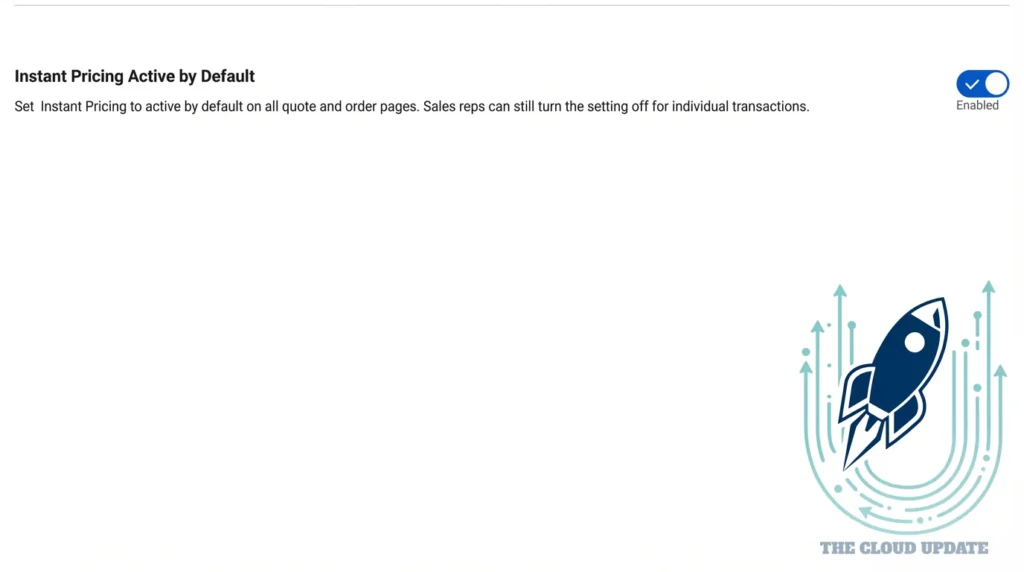
Active by Default
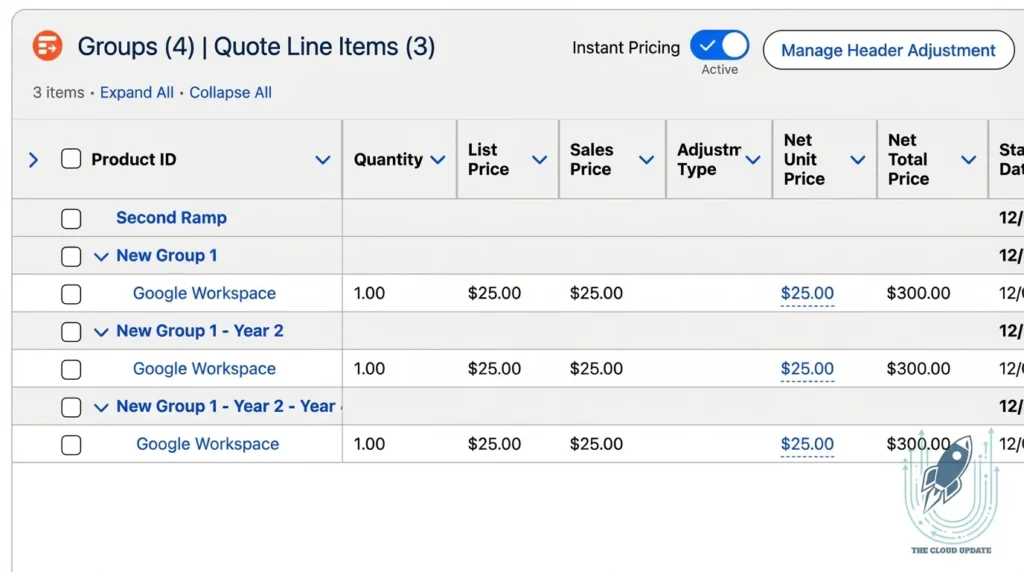
Instant Pricing can now be enabled by default on all quote and order pages. Prices recalculate immediately when users edit a line—no need to wait until save. Users can still disable it if needed.
How to enable: In Setup, navigate to Revenue Settings and turn on “Instant Pricing Active by Default”.
7. Advanced Approvals Improvements
Approval workflows become more powerful and flexible:
- Custom Auto-Approval Logic – Implement custom flow logic for auto-approving resubmitted records, overriding smart approval conditions. Use the new Get Previous Related Record Details invocable action
- Custom Email Templates – Use Lightning or Visualforce email templates for up to 8 different notification reasons with advanced formatting capabilities
- Skip Condition Checks – Skip evaluation of entry conditions in approval steps to save processing time during resubmissions
- More Data Types – Configure step conditions using nine additional data types including Date Time, Boolean, and Currency
- 30 Conditions Per Step – Define up to 30 conditions for approval stage exit, step entry, and step exit (previously limited to 10)
8. Dynamic Revenue Orchestrator (DRO) Updates
DRO expands its capabilities for order fulfillment and orchestration:
- Orchestrate Any Transaction Type – Design and run orchestration for any business process with the usage type framework. Bring your own context definition for non-sales transactions like Dunning
- Custom Logic Between Decomposition and Plan Generation – Insert custom logic to update fulfillment order line item data between decomposition and plan generation
- Industries CPQ Integration – Use DRO’s advanced orchestration capabilities for Industries CPQ orders without migrating commercial product data from EPC
- Enhanced Decomposition Workspace – View inherited product class-based rules and complete technical bundle hierarchies
- Callout Failure Prevention – Configure callout steps to pause automatically during external system downtime
- Rule Migration – Move decomposition rules and condition data between Salesforce orgs using Data API
- Move and Change of Plan Orders – Develop specialized fulfillment scenarios for asset transfers and plan changes in Industries CPQ
9. Usage Management Improvements
Enhancements for usage-based pricing and consumption tracking:
- Usage Product Validator – Verify cross-object configurations when setting up Usage and Rating objects, flagging critical issues early
- Automatic Rate Card Capture – Generate rate card entries for quotes and orders when quotes are saved, preventing rate changes even if the catalog is updated later
- Generate Assets for Usage Products – Use the Create or Update Asset From Order Item Action API for usage-based products with grant binding and rate selection
- Daily Usage and Overage Monitoring – View current usage and updated overages throughout the billing period to avoid unexpected charges
- Wallet Visibility in Experience Cloud – Give customers access to real-time wallet balances and consumption records in the self-service portal
10. Billing Enhancements
Major improvements across billing operations, tax management, and payments:
Customer 360 & Dispute Management
- Billing Dispute Resolution – Manage inquiries and disputes through standardized, end-to-end processes. Pre-built service process templates include Suspend Billing, Invoice Charge Dispute, and Extend Invoice Due Date
- Statement of Account – Generate comprehensive financial statements summarizing invoices, payments, credits, debits, and refunds for an account hierarchy
Billing Foundation
- Order Item Billing – Bill individual order items as they’re delivered with separate billing schedules
- Flexible Billing Frequencies – Select billing frequencies that differ from the product’s pricing frequency. Convert monthly pricing to annual billing with accurate partial period calculations
Billing Amendments
- Multiple Ramp Deals – Generate precise billing for independent ramp schedule groups
- Future-Dated Order Amendments – Process billing for amendments before scheduled future-dated orders
- Rollback Support – Automatically update billing schedules when rolling back future-dated amendments
- Product Swap Billing – Auto-generated billing schedules for swapped products
Tax Management
- Credit Memo Voiding and Recovery – Recover credit memos in error states and void posted credit memos with automatic debit memo creation
- Standard Tax Engine – Configure and apply taxes directly in Billing with the built-in tax engine for simple use cases
- Header-Level Tax Totals – Capture overall tax totals in transaction headers to prevent rounding discrepancies
- Tax Identification Details – Capture tax identifiers on billing accounts for regional compliance
Invoice & Payment Management
- Billing Arrangements – Allocate billing amounts across multiple billing accounts based on fixed percentages for complex business scenarios
- On-Demand Invoice Documents – Generate individual invoice PDFs with a single click using customer-specific templates
- Sequential Credit Memo Numbering – Apply unique sequential numbers for audit-ready records
- Pre-Tokenized Payment Methods – Import payment method tokens from external gateways individually or in bulk
- Rule-Based Payment Application – Automatically apply credits and payments to invoices based on configurable rules
- Custom Payment Retries – Define rules to automatically retry failed payments based on error type
11. Salesforce Contracts Improvements
Enhanced control over contract structure, styling, and review processes:
- Section Name Visibility Control – Choose whether section names appear in generated documents while keeping them visible in the add-in panel
- Preserve Clause Formatting – Clauses now retain their defined indentation, line spacing, lists, and fonts when inserted into documents
- Profile-Based Section Access – Limit section-level edit access to specific profiles, protecting sensitive content and token values
- User or Profile-Based Internal Reviews – Choose between user-based or profile-based modes when initiating internal reviews
- Expanded Data True-Up – Handle more than 200 field tokens with support for line item tokens and related records like quotes and opportunities
- Redline Comparison Documents – Generate comparison documents highlighting added, edited, and deleted content between versions
- Template Migration – Move Microsoft 365 document templates between orgs while preserving clause references and access controls
- Async Document Check-In – Reduce latency for large documents with asynchronous processing for documents with 200+ elements
- Section and Clause Search – Find content faster with real-time search in the Microsoft 365 add-in
12. Salesforce Document Generation Updates
Generate clearer, larger documents with more precise data:
- Context Data Filtering – Apply filters in the template designer to include only data meeting specific criteria with up to 5 conditions
- Data Transformation with Apex – Transform context data using a sample Apex plug-in for advanced formatting, grouping, and manipulation
- 200 MB File Support – Generate single PDF, DOCX, or PPTX files up to 200 MB for high-volume, media-rich use cases
- Hybrid File Handling for Previews – Improved preview consistency across browsers and Experience Cloud sites
- Preview Storage Management – Easily discard intermediate previews in Omniscripts to reduce storage consumption
13. Agentforce for Revenue Management
AI-powered assistants expand their capabilities for billing and quoting:
- Product Recommendations – Get rule-based product recommendations while building quotes to create more complete and accurate quotes
- Billing Service Assistant – Help customers receive detailed invoice charge breakdowns through conversational AI in Experience Cloud
- Billing Employee Assistant – Access critical billing information through conversational AI including payment plan details, account summaries, and outstanding balances
- Token Overage Detection – Identify token over-consumption and automatically generate targeted token pack quotes for upselling
- Partner Quoting – Enable partner users to access advanced quoting agent actions through Embedded Messaging in Experience Cloud sites
14. Context Service Enhancements
Context Service receives significant updates that improve usability, Data Cloud integration, and deployment workflows:
Enhanced User Interface
- Redesigned Context Definition Mapping UI – Manage large context definitions more efficiently with a streamlined interface. Handle Input and sObject mappings from a single screen with inline search and improved sort/filter capabilities
- Data Space Selection – Map extended context definitions to custom Data Cloud data spaces containing preprocessed, harmonized data from multiple sources. Reduces mapping errors when working with data model objects (DMOs)
Packaging & Deployment
- 2GP Support – Context definitions now support Second-Generation Managed Packaging for ISV and enterprise deployment scenarios
- Deploy Deactivated Definitions – Package and deploy context definitions in a deactivated state, enabling staged rollouts and testing workflows
- Guided Extensibility – Prevent mapping conflicts by enabling custom mappings only for specific inherited nodes and attributes. Ensures stable, predictable upgrade experiences
Integration Enhancements
- Business Rules Engine Stability – Experience improved deployment stability during migrations and upgrades when using Context Service with Business Rules Engine
- Prompt Builder Integration – Use Context Service design-time filters for AI prompt templates. Sort and filter context data before it reaches the LLM, improving reliability and consistency of AI-generated outputs
- Document Generation Filtering – Apply filters in the template designer to include only data meeting specific criteria, with support for up to 5 conditions per filter
What’s Next?
Spring ’26 represents a significant evolution for Revenue Cloud—now Agentforce Revenue Management. The introduction of Promotions, enhanced Agentforce capabilities, improvements across billing, pricing, orchestration, and Context Service provide organizations with powerful tools to streamline their Quote-to-Cash processes.
Stay tuned for additional deep dives into specific features. If you have specific questions or want to see a feature in action, leave a comment or reach out.
Note: This release is currently in preview. Features described may change before general availability. Make purchase decisions only on the basis of generally available products and features.
Related Resources: